

DictJuggler Mini HELP
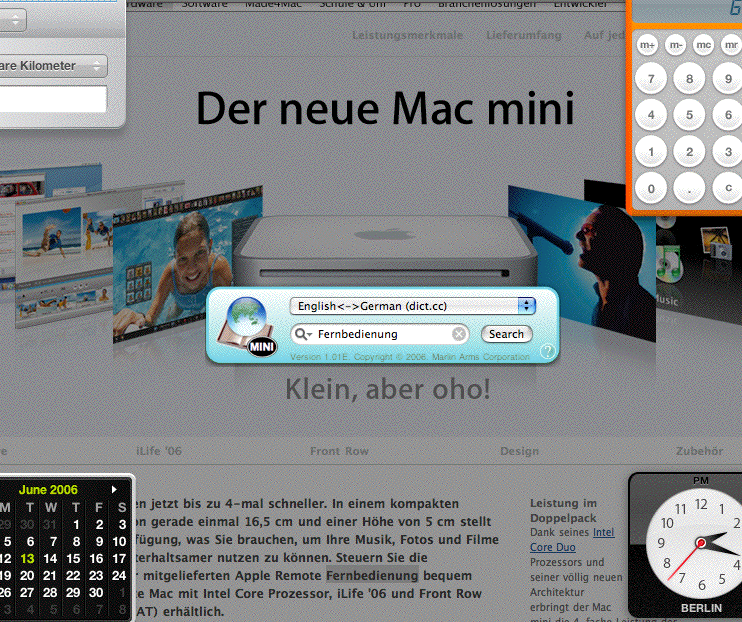
DictJuggler Mini is a Mac OS X Dashboard utility version of the DictJuggler, searching/dictionary lookup utility for Mac OS. You simpley press F12 to display the Dashboard Widget, enter a word (or a phrase) you want to search or look up, and press the return key. You will see the definition (search result) in a default browser window.
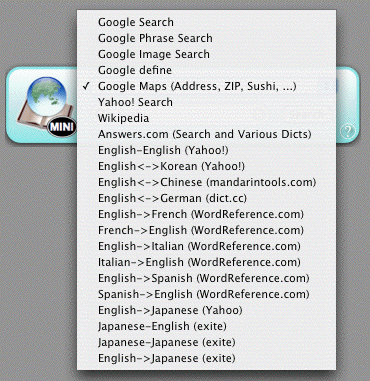
Switching dictionaries
You can instantly switch the dictionaries (search sites) by using the pop-up menu. If your fingers are on the keyboad,
- use the upward/downward arrow key to change the dictionary, and
- use the tab key to switch the button/field/menu selection.
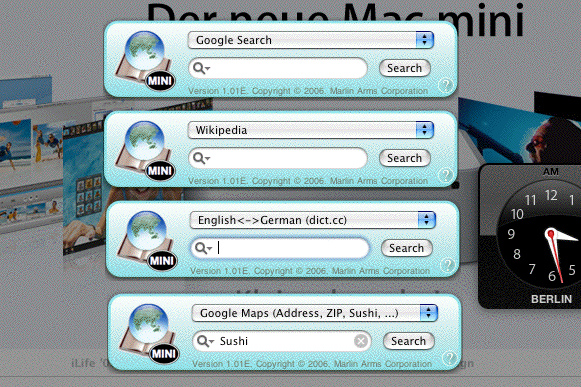
Opening multiple windows
You can open more than one DictJuggler Mini windows by clicking the + button displayed in the lower left corner of your display when you press F12 (or the equivalent) to open Mac OS X Widgets, if you frequently use several dictionaies. You can open as many windows as you want.
- DictJuggler Mini home page
- Download & Install
- Mac OS X Application DictJuggler home page
- For further questions or comments on our software, use contact form.
 Copyright
1993-2009 Marlin Arms Corporation
Copyright
1993-2009 Marlin Arms Corporation