

DictJuggler Mini
Search & Look up anything, from the Dashboard.
Try also the DictJuggler Application for your Macintosh.
DictJuggler Mini provides you quick and convenient access to the dictionaries on the Web. It looks up language dictionaries, encyclopedia, search engines, and even maps or auction sites on the Web, automatically and instantly.
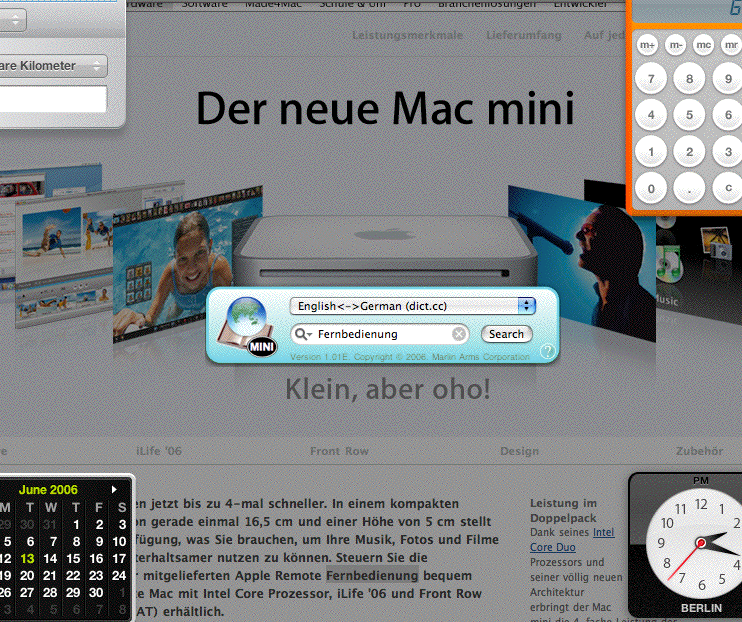
DictJuggler runs only on Macs; requires Mac OS X 10.4 or later.
Just press F12, and your search is ready
You simpley press F12 (or the equivalent) to display the Dashboard Widget, enter a word (phrase) you want to search or look up, and press the return key. You will see the definition (search result) in a default browser window.
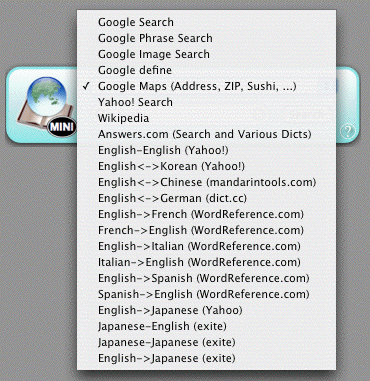
Switch dictionaries (search engines) instantly
You can instantly switch the dictionaries (search engines) by using the pop-up menu. If your fingers are on the keyboad,
- use the upward/downward arrow key to change the dictionary, and
- use the tab key to switch the button/field/menu selection.
Opening multiple dictionaries
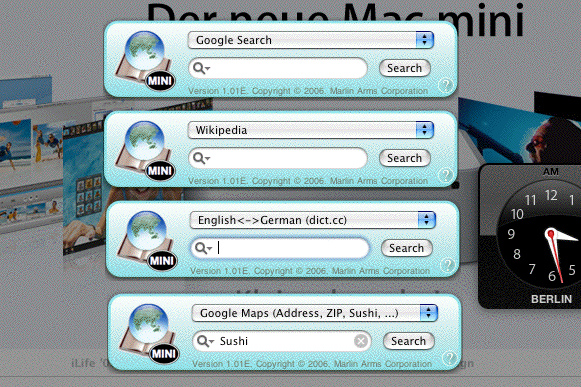
You can open more than one DictJuggler Mini windows by clicking the + button displayed in the lower left corner of the Dashboard, if you frequently use several dictionaies. You can open as many windows as you want.
- Download & Install
- Support
- Mac OS X Application DictJuggler Product Page
 Copyright
1993-2009 Marlin Arms Corporation
Copyright
1993-2009 Marlin Arms Corporation 